Skip to content
tekr.ai
Integrations

Point of sale · Rota and hours

Built

Tekr for Square

Your Square sales, refunds and discounts, and your team’s hours if you run them in Square, checked every morning and joined up with the rest of your business. Read-only, so nothing in Square changes.

The Square connection is built and tested against Square’s developer environment. Get in touch to be one of the first Square sellers on Tekr.

At a glance

Access
Read-only, approved by you in Square
Supplies
Sales, and optionally rota and hours
Kept up to date
Through the day, with every site checked each morning
Locations
As many as your Square account has
Status
Built and tested

What you get

More from the Square data you already have

Square records every sale. Tekr turns it into what you need to know each morning, and joins it up with your rota, stock, bookings and reviews.

Every site, every morning, in one view

Your Square sales across every location, against forecast and last year, with what changed and what needs your attention at the top.
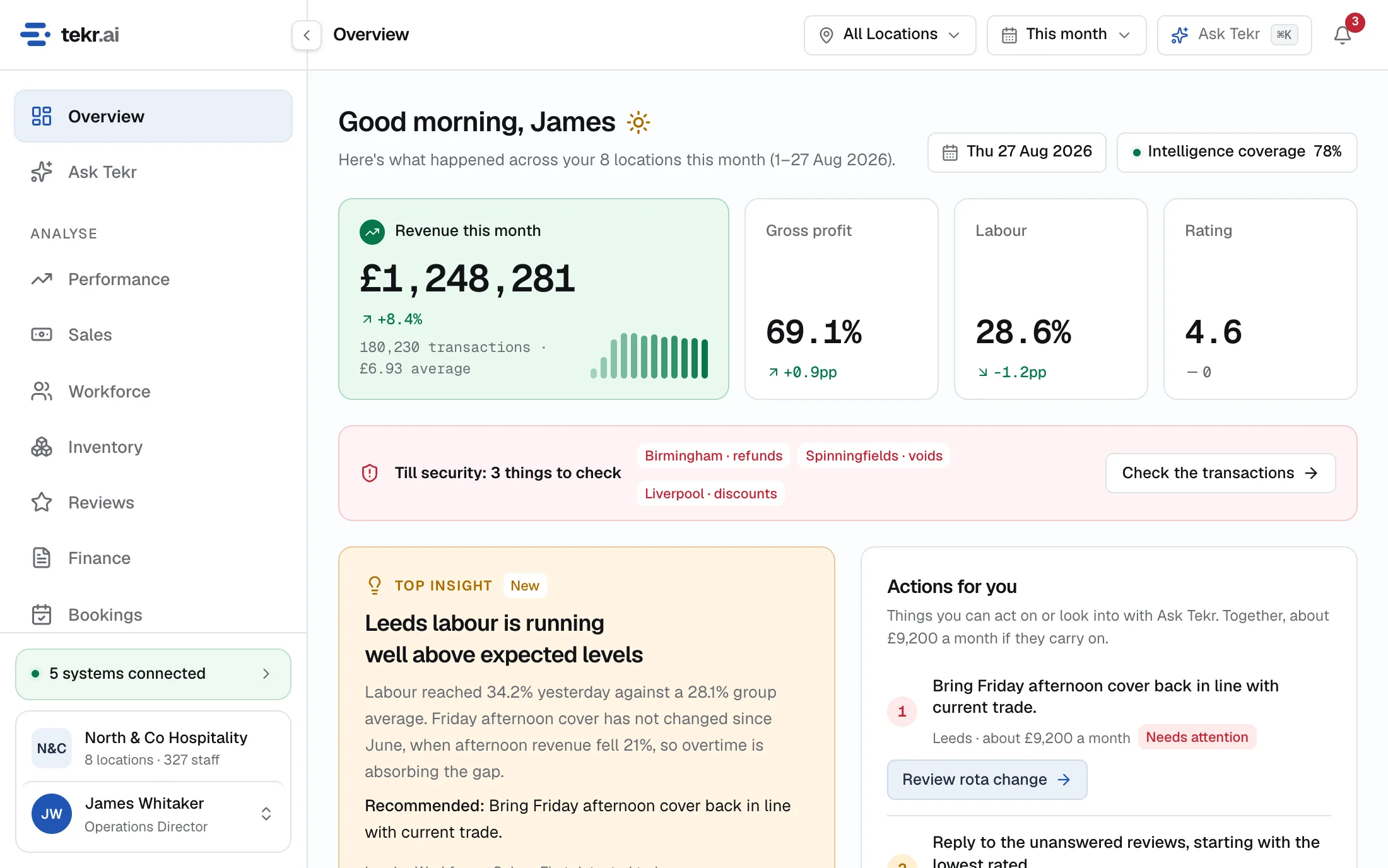
The Tekr Overview built from Square sales: revenue, gross profit, labour and the issues that need attention.
Shown with demonstration data.

Your takings checked, site by site

Refunds, discounts and cancelled orders from Square, compared with each location’s own normal. When one moves, Tekr shows you the site, how far it has moved and the orders behind it, with every refund linked to the sale it came from.
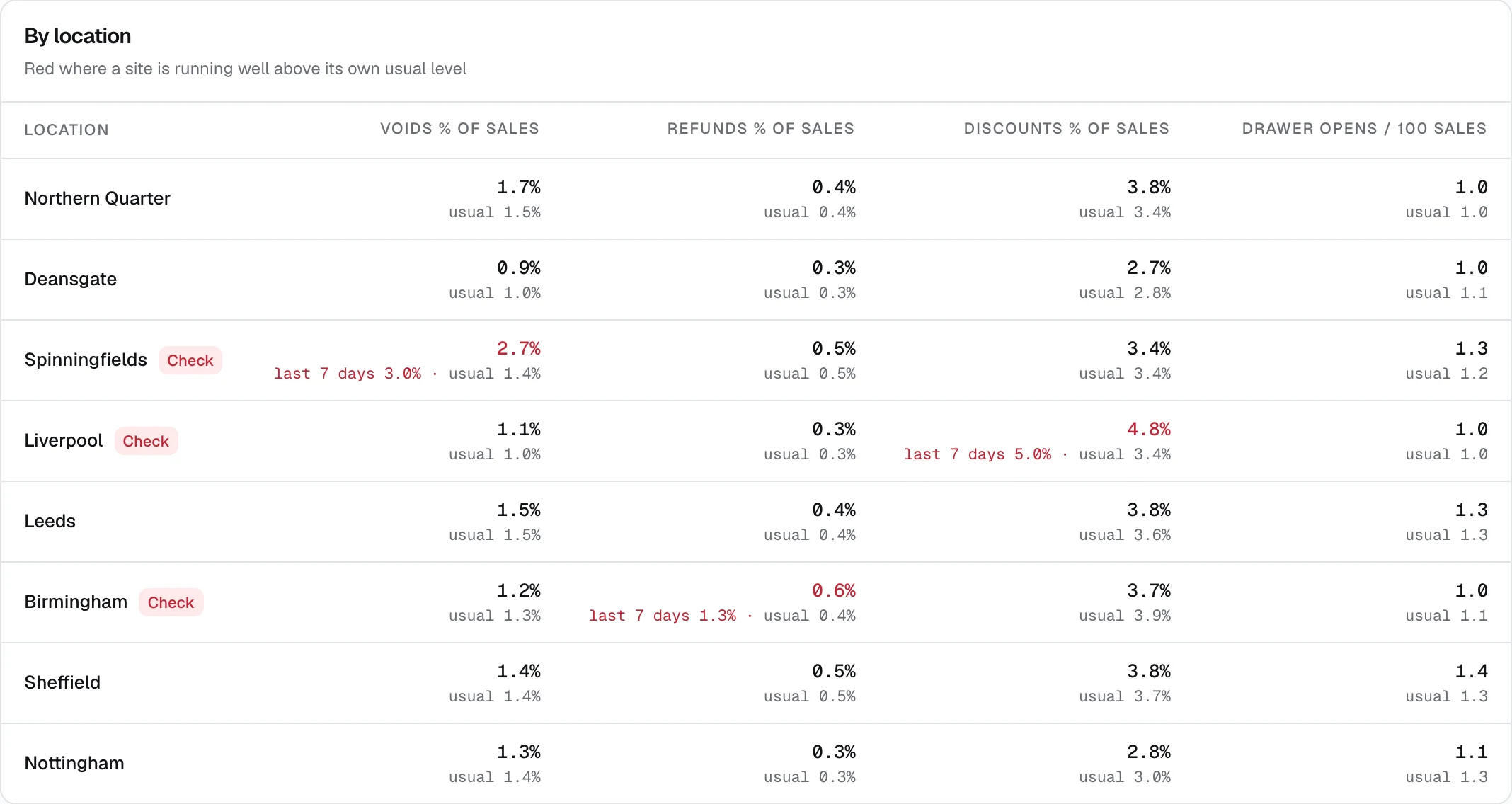
Refunds and discounts as a share of sales at each site, against each site’s usual level, with the ones above usual marked to check.
Shown with demonstration data.

Labour read against trade

If you run your team in Square, Tekr reads the rota and the timecards and sets them against your sales by the hour. Shifts that keep running ahead of trade come with the change worked out.
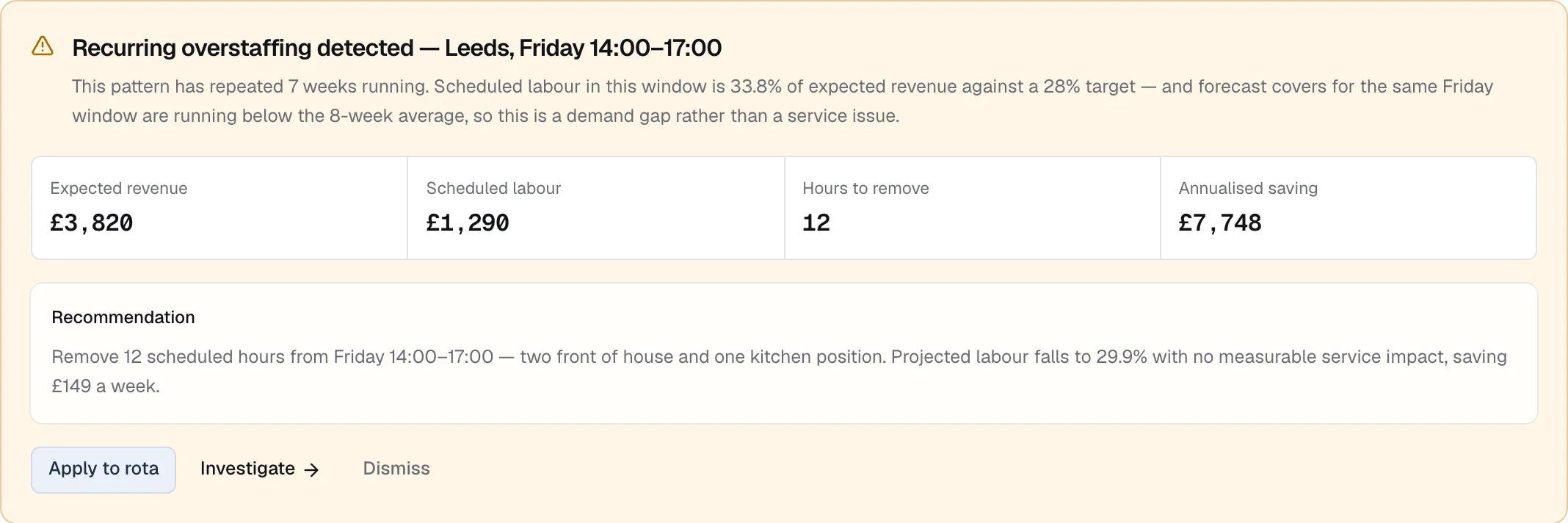
A recommendation to remove Friday afternoon hours at one site, with the weekly and annual saving.
Shown with demonstration data.

What Tekr reads

Only what it needs, and nothing it shouldn’t

  • LocationsEach Square location, matched once to one of your sites.
  • OrdersWhat was sold, when, where and through which channel, with VAT, discounts, tips and service charges.
  • Refunds and cancellationsEach refund linked to the sale it belongs to, and cancelled orders kept apart from sales.
  • Items and categoriesYour catalogue, so sales can be read by product and category.
  • Team and timecardsIf you run your staff in Square: team members, the hours they worked and their pay rates.
  • The rotaScheduled shifts for the weeks ahead, so labour can be planned against expected trade.

Tekr never

  • Take or refund payments
  • Change orders, items or prices
  • Edit your team, rota or timecards
  • Read card details

Built for UK hospitality

The details that make the figures right

Small things in how sales are recorded make a big difference to what the numbers say. These are handled for you.

Tips kept out of sales

Tips belong to your team, so they are separated from your takings rather than inflating revenue.

VAT on refunds handled properly

When a refund comes through without its VAT split, Tekr gives it the VAT of the sale it came from, so net sales stay right.

Each trading day in local time

Orders are counted on the trading day at the location where they were taken, including late finishes.

Late orders caught

Square can list an order a few seconds after it is made, so every sync looks back over the last few minutes to catch it.

Connecting

Four steps, and nothing to install

  1. 1

    Sign in to Square

    Approve Tekr’s read-only access from your Square account. You can withdraw it at any time.

  2. 2

    Match your locations

    Tell Tekr which of your sites each Square location is. It only needs doing once.

  3. 3

    Choose what Square supplies

    Sales always come from Square. If you also run your rota there, choose whether Tekr takes hours from Square or another system.

  4. 4

    Your first briefing

    Tekr brings in your past trading so comparisons work from the start, then keeps up through the day.

Withdraw access from Square at any timeKept up to date through the dayWorks across all your locations

Questions

Square and Tekr

Does Tekr change anything in my Square account?
No. Tekr only reads from Square. It does not take payments, issue refunds, or change orders, items, prices, your team or your rota.
Do I need a particular Square plan?
Sales work with any Square account. Team, timecard and rota data depend on how you run your staff in Square, and some of it needs a Square staff plan. We will check what your account includes before you connect.
Can I use Square for sales and another system for my rota?
Yes. Each part of the business comes from one system you choose, so you could take sales from Square and hours from another rota system, and nothing is counted twice.
How up to date is it?
Tekr keeps reading from Square through the day, and checks every site each morning. If a location stops sending sales while it should be trading, Tekr tells you.
Is Tekr made by Square?
No. Tekr is an independent product that reads from Square with your permission. It is not made, endorsed or supported by Square.

Square is a trademark of Block, Inc. Tekr is independent and is not affiliated with, endorsed by or supported by Square.

Run your restaurants on Square? See what Tekr would show you.

We’ll walk you through Tekr on a demonstration group and talk about connecting your own Square account.